How to Bridge Tokens Between Chains: Complete Safety Guide 2025
Learn to safely bridge crypto between Ethereum, Arbitrum, Base, and other chains. Complete guide covering official bridges, cross-chain protocols, and avoiding scams.
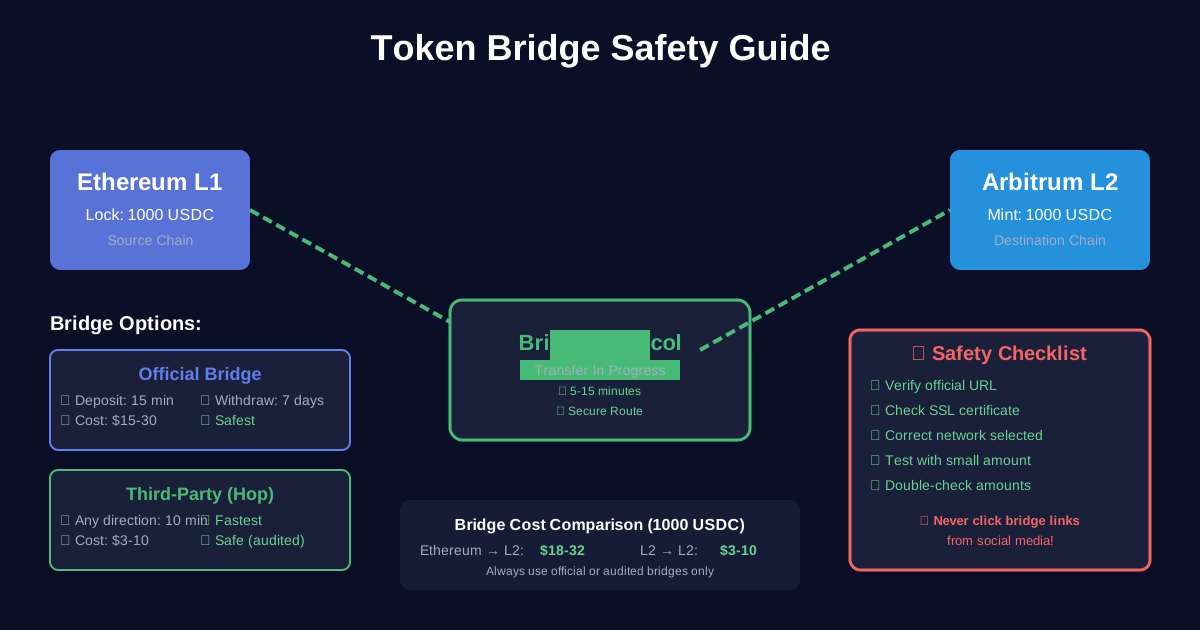
How to Bridge Tokens Between Chains: Complete Safety Guide 2025
Need to move your crypto from Ethereum to Arbitrum? Or from Base back to mainnet? Bridging is how you transfer assets between blockchains.
But bridging can be confusing and risky. Use the wrong bridge, and you could lose your funds. Choose the slow route, and wait a week for your money.
This guide teaches you everything about bridging safely: official bridges, fast alternatives, cost comparison, and how to avoid the $2+ billion lost to bridge hacks in recent years.
By the end, you'll bridge confidently across any network.
What You'll Learn
✅ What bridging is and how it works
✅ Official bridges for each major network
✅ Fast vs slow bridge routes
✅ Third-party bridge comparison
✅ Step-by-step bridging tutorials
✅ How to avoid bridge scams
✅ Emergency troubleshooting
Time needed: 30 minutes to learn
Bridge time: 10 min to 7 days depending on route
Difficulty: Beginner-friendly with safety focus
Part 1: Understanding Bridges
What is a Bridge?
Simple definition: A bridge transfers tokens from one blockchain to another.
How it works (simplified):
1. You send tokens to bridge contract on Chain A
2. Bridge locks your tokens
3. Bridge mints equivalent tokens on Chain B
4. You receive tokens on Chain B

Your tokens are "bridged" ✓
Real example:
You have: 100 USDC on Ethereum
You want: 100 USDC on Arbitrum

Bridge process:
Ethereum: 100 USDC locked in bridge contract
Arbitrum: 100 USDC minted to your address

Result: Same USDC, different chain ✓
Why Bridging is Necessary
The problem:
- Ethereum and other chains are separate
- Tokens exist independently on each chain
- USDC on Ethereum ≠ USDC on Arbitrum (technically)
- Can't move directly between chains
The solution:
- Bridges create connection
- Lock-and-mint mechanism
- Maintains value 1:1
- Enables cross-chain DeFi
Types of Bridges
1. Official/Canonical Bridges
Operated by: L2 team itself
Security: Highest (native)
Speed: Slow (7 days for withdrawals)
Cost: Moderate
Trust: Minimal

Examples:
- Arbitrum Bridge
- Optimism Bridge
- Base Bridge
2. Third-Party Bridges
Operated by: Independent protocols
Security: Variable (depends on protocol)
Speed: Fast (minutes to hours)
Cost: Slightly higher
Trust: Required

Examples:
- Hop Protocol
- Across Protocol
- Stargate
3. Centralized Bridges
Operated by: Exchanges
Security: Depends on exchange
Speed: Fast (minutes)
Cost: Withdrawal fees
Trust: High (centralized)

Examples:
- Coinbase (L1 ↔ Base)
- Binance (multi-chain)
- Kraken (multi-chain)
Part 2: Official Bridges (Safest Option)
Arbitrum Bridge
URL: bridge.arbitrum.io
Routes:
- Ethereum → Arbitrum
- Arbitrum → Ethereum
Timing:
Deposit (ETH → Arbitrum): 10-20 minutes
Withdrawal (Arbitrum → ETH): 7 days ⚠️
Costs:
Deposit: $15-30 (Ethereum gas)
Withdrawal: $1-2 (Arbitrum gas) + $10-20 (finalize on ETH)
How to Use:
- Visit bridge.arbitrum.io
- Connect MetaMask
- Select direction (to/from Arbitrum)
- Choose token (ETH, USDC, etc.)
- Enter amount
- Click "Move funds to Arbitrum"
- Approve in MetaMask
- Wait for confirmation
Safety: ✅✅✅ Highest (official bridge)
Optimism Bridge
Routes:
- Ethereum → Optimism
- Optimism → Ethereum
Timing:
Deposit: 10-20 minutes
Withdrawal: 7 days ⚠️
Costs:
Deposit: $15-30 (ETH gas)
Withdrawal: $0.80-1.50 (OP gas) + $10-20 (finalize)
Process: Same as Arbitrum bridge
Safety: ✅✅✅ Highest
Base Bridge
URL: bridge.base.org
Routes:
- Ethereum → Base
- Base → Ethereum
Timing:
Deposit: 10-20 minutes
Withdrawal: 7 days ⚠️
Costs:
Deposit: $15-30 (ETH gas)
Withdrawal: $0.60-1 (Base gas) + $10-20 (finalize)
Coinbase Shortcut: If you have Coinbase account:
- Withdraw directly to Base (skip bridge!)
- Much faster and cheaper
- Native integration ✓
Safety: ✅✅✅ Highest
zkSync Bridge
URL: bridge.zksync.io
Routes:
- Ethereum → zkSync Era
- zkSync Era → Ethereum
Timing:
Deposit: 10-20 minutes
Withdrawal: 1-3 hours ✓ (much faster!)
Costs:
Deposit: $15-30 (ETH gas)
Withdrawal: $0.40-0.80 (zkSync gas) + $5-10 (finalize)
Advantage: Fast withdrawals (ZK proof technology)
Safety: ✅✅✅ Highest
Polygon Bridges
For Polygon PoS: URL: wallet.polygon.technology
Deposit: 7-8 minutes (fastest!)
Withdrawal: 3 hours (Plasma bridge) or instant (PoS bridge + fee)
For Polygon zkEVM: URL: portal.polygon.technology
Deposit: 10-20 minutes
Withdrawal: 1-3 hours (ZK proofs)
Safety: ✅✅✅ Highest (official)
Part 3: Third-Party Bridges (Fast Alternatives)
When to Use Third-Party Bridges
Use official bridges if:
- ✅ Not in hurry (can wait 7 days)
- ✅ Large amounts ($10K+)
- ✅ Want absolute safety
- ✅ First time bridging
Use third-party bridges if:
- ⚡ Need funds quickly (minutes not days)
- 💰 Willing to pay small premium
- 🔄 Bridging between L2s (no L1 touch)
- 📊 Experienced with DeFi
Hop Protocol
URL: app.hop.exchange
What it is:
- Most popular fast bridge
- Supports major L2s
- Liquidity pools on each chain
- Near-instant transfers
Routes: Arbitrum ↔ Optimism ↔ Base ↔ Polygon
Timing: 5-15 minutes ✓
Costs:
Fee: 0.04-0.25% of amount + gas
Example: Bridge $1,000
- Hop fee: $2.50 (0.25%)
- Gas: $2-5
- Total: $4.50-7.50

vs Official: 7 days wait
Worth it for speed! ✓
How to Use:
- Visit app.hop.exchange
- Connect wallet
- Select "From" chain
- Select "To" chain
- Choose token
- Enter amount
- Review fees
- Click "Send"
- Approve + confirm
- Wait 5-15 minutes
- Check destination chain ✓
Safety: ✅✅ High (audited, established)
Across Protocol
URL: across.to
What it is:
- Optimistic bridge
- Fast transfers
- Competitive fees
- Growing rapidly
Routes: Most major L2s
Timing: 2-10 minutes ✓
Costs:
Fee: 0.03-0.15% (often cheaper than Hop!)
Example: $1,000 bridge
- Across fee: $1.50
- Gas: $2-5
- Total: $3.50-6.50

Cheaper than Hop! ✓
Process: Similar to Hop
Safety: ✅✅ High (audited)
Stargate (LayerZero)
URL: stargate.finance
What it is:
- LayerZero bridge
- Unified liquidity
- Many chains supported
- DeFi-focused
Routes: 10+ chains including non-EVM
Timing: 1-5 minutes ✓
Costs:
Fee: 0.06% + gas + LayerZero fee
Slightly higher than others
But supports more chains
Advantage:
- Bridges to non-EVM chains (Solana, Aptos)
- Large liquidity
- Reliable
Safety: ✅✅ High (LayerZero secured)
Orbiter Finance
URL: orbiter.finance
What it is:
- zkSync ecosystem bridge
- Very fast
- Low fees
- Simple interface
Timing: 1-3 minutes ✓✓✓ (fastest!)
Costs: Very low (0.03-0.1%)
Best for: zkSync ↔ other L2s
Safety: ✅✅ Good (smaller protocol)
Part 4: Bridge Comparison
Official vs Third-Party
| Feature | Official | Third-Party | |---------|----------|-------------| | Speed | 7 days (slow) | 1-15 min (fast) | | Cost | Lower | Slightly higher | | Safety | Highest | High (good protocols) | | Trust | Minimal | Some required | | Routes | L1 ↔ L2 only | L2 ↔ L2 direct | | Best For | Large amounts, no rush | Fast access, convenience |
Cost Comparison ($1,000 Bridge)
Official Bridges:
━━━━━━━━━━━━━━━━━━━━━━━━━━━━
Ethereum → Arbitrum: $18-32
Wait: 15 minutes ✓
Arbitrum → Ethereum: $11-22
Wait: 7 days ❌

Third-Party (Hop):
━━━━━━━━━━━━━━━━━━━━━━━━━━━━
Arbitrum → Base: $4.50-7.50
Wait: 10 minutes ✓✓✓

Verdict: Third-party worth it for L2↔L2
Official better for L1↔L2 (if not urgent)
Part 5: Complete Bridging Tutorials
Tutorial 1: Ethereum → Arbitrum (Official)
Scenario: Move 0.5 ETH + 1,000 USDC to Arbitrum
Step-by-Step:
1. Prepare
Check you have:
□ 0.52 ETH on Ethereum (0.5 + 0.02 for gas)
□ 1,000 USDC on Ethereum
□ MetaMask connected to Ethereum
2. Go to Arbitrum Bridge
- URL: bridge.arbitrum.io
- Connect MetaMask
- Make sure on Ethereum network
3. Bridge ETH First
a. Select "ETH" token
b. Enter amount: 0.5
c. Click "Move funds to Arbitrum"
d. Review:
   - Amount: 0.5 ETH
   - Destination: Your address on Arbitrum
   - Gas fee: ~$20
e. Click "Continue"
f. Approve in MetaMask
g. Wait for confirmation
4. Bridge USDC
a. Select "USDC" token
b. Enter amount: 1000
c. First time: Click "Approve USDC"
   - Separate transaction (~$10 gas)
   - Wait for confirmation
d. After approval, click "Move funds to Arbitrum"
e. Review details
f. Confirm in MetaMask (~$15 gas)
g. Wait for confirmation
5. Verify on Arbitrum
a. Switch MetaMask to Arbitrum network
b. Check balance:
   - Should see 0.5 ETH
   - Should see 1,000 USDC
c. Wait 15-20 minutes if not appeared yet
d. Check transaction on Arbiscan
Total Cost: ~$45 (one-time)
Total Time: 15-20 minutes
Worth it if: Making 10+ future transactions
Tutorial 2: Arbitrum → Base (Fast, via Hop)
Scenario: Move 500 USDC from Arbitrum to Base quickly
Step-by-Step:
1. Prepare
Check you have:
□ 500 USDC on Arbitrum
□ Small ETH on Arbitrum for gas (~$2)
□ MetaMask connected to Arbitrum
2. Go to Hop Exchange
- URL: app.hop.exchange
- Connect wallet
3. Configure Bridge
a. From: Arbitrum
b. To: Base
c. Token: USDC
d. Amount: 500
4. Review Fees
You send: 500 USDC
You receive: ~498.50 USDC
Hop fee: $1.25 (0.25%)
Gas: ~$1.50
Total cost: $2.75

Time: 10 minutes ✓
5. Execute Bridge
a. Click "Approve USDC" (first time only)
   - Confirm in MetaMask
   - Wait 30 seconds
b. Click "Send"
c. Review one more time
d. Confirm in MetaMask
e. Transaction submitted!
6. Monitor Transfer
a. Hop shows progress bar
b. "Bonding" → "Bonded" → "Complete"
c. Usually takes 5-15 minutes
d. Will see pop-up when done
7. Verify on Base
a. Switch MetaMask to Base
b. Check USDC balance
c. Should see 498.50 USDC
d. Done! ✓
Total Cost: $2.75
Total Time: 10 minutes
Saved: 7 days vs official route!
Tutorial 3: Arbitrum → Ethereum (Official, Slow)
Scenario: Move funds back to Ethereum mainnet
Important: This takes 7 days!
Step-by-Step:
1. Initiate Withdrawal
a. Go to bridge.arbitrum.io
b. Connect wallet (Arbitrum network)
c. Click "Move funds to Ethereum"
d. Select token and amount
e. Confirm transaction (Arbitrum gas ~$1)
f. Wait for confirmation
2. Wait 7 Days
Why 7 days?
- Optimistic Rollup challenge period
- Ensures transaction validity
- Security feature, not bug
- Cannot be avoided on official bridge

Alternative: Use Hop/Across (costs more)
3. Check Status
a. Visit bridge.arbitrum.io
b. Go to "Transactions" tab
c. See withdrawal status:
   - "Initiated" (Day 0)
   - "In challenge period" (Days 1-6)
   - "Ready to finalize" (Day 7) ✓
4. Finalize Withdrawal (Day 7)
a. Return to bridge.arbitrum.io
b. Click "Finalize" on your withdrawal
c. Confirm transaction (ETH gas ~$10-20)
d. Wait for confirmation
e. Check Ethereum: Funds arrived! ✓
Total Cost: $11-22
Total Time: 7 days ⏰
Alternative: Hop/Across (10 min, +$5-10)
Part 6: Safety and Security
Avoiding Bridge Scams
🚨 Bridge hacks have stolen $2+ billion
Common scams:
1. Fake Bridge Websites
Real: bridge.arbitrum.io
Fake: bridge-arbitrum.io
Fake: arbitrumbridge.com
Fake: arbitrum-bridge.net

Always bookmark official URLs!
2. Phishing on Discord/Twitter
Scammer: "New fast bridge launched!"
Link: Looks legit but isn't
You connect: Wallet drained 💸

Never click bridge links in:
- Discord messages
- Twitter DMs
- Telegram groups
- Email
3. Approval Phishing
Fake bridge asks to:
"Approve unlimited tokens"

Then drains your wallet

Real bridges need approval, but:
- Check contract address
- Verify on official site
- Use Revoke.cash after
Bridge Safety Checklist
Before every bridge:
Security Checks:
□ URL is correct official domain
□ SSL certificate valid (padlock icon)
□ MetaMask shows correct network
□ Contract address verified (if technical)
□ Amount is correct
□ Destination address is YOUR address
□ Gas fee is reasonable
□ Small test first (if first time)

Red Flags:
🚨 URL slightly different
🚨 Site asks for seed phrase
🚨 Promises "instant" official bridge
🚨 Unusually low fees
🚨 Unknown bridge protocol
🚨 Social media links only
Recommended Bridges Only
Safe to use:
Official:
✅ bridge.arbitrum.io
✅ app.optimism.io/bridge
✅ bridge.base.org
✅ bridge.zksync.io
✅ wallet.polygon.technology

Third-Party (Audited):
✅ app.hop.exchange
✅ across.to
✅ stargate.finance
✅ orbiter.finance

CEX (If you trust):
✅ Coinbase (for Base)
✅ Major exchanges only
Never use:
❌ Random bridges on Twitter
❌ Unaudited new bridges
❌ "Too good to be true" fees
❌ Bridges with no documentation
❌ Bridges asking for seed phrase
Part 7: Troubleshooting
Problem 1: Transaction Stuck
Symptoms:
- Sent bridge transaction
- Hours passed, nothing arrived
- Etherscan shows success
Solutions:
Check 1: Wait Longer
Official bridges: 15-30 minutes normal
Third-party: 5-15 minutes
If less time: Just wait ✓
Check 2: Verify Destination
a. Go to destination chain explorer
b. Search your address
c. Check recent transactions
d. Token might be there already!
Check 3: Check Bridge Status
For official bridges:
a. Go to bridge site
b. "Transactions" tab
c. Find your tx
d. See status

May still be processing ✓
Check 4: Contact Support
If > 1 hour for third-party:
a. Join protocol Discord
b. #support channel
c. Provide transaction hash
d. Team will investigate
Problem 2: Wrong Network Selected
The Error:
Tried to bridge on Arbitrum
But MetaMask on Ethereum
Transaction went through
But didn't bridge anything! 😱
Solution:
a. Check which network transaction was on
b. If on wrong network:
   - Your tokens still there
   - Just wasted gas fee
   - Start over on correct network
c. Always verify network before confirming!
Problem 3: Insufficient Gas
The Error:
"Insufficient funds for gas"
Have 1000 USDC but no ETH
Can't complete bridge
Solution:
Need ETH (or network gas token):
a. Buy small amount ETH
b. Bridge ETH first, then other tokens
c. Or use CEX to withdraw to L2
d. Always keep $10-20 gas buffer
Problem 4: Failed Third-Party Bridge
Symptoms:
- Hop/Across transaction reverted
- Tokens deducted
- Didn't arrive on destination
Solution:
a. DON'T PANIC - Funds are safe
b. Check bridge status page
c. Often auto-refunded to source chain
d. Check source chain balance
e. If not refunded in 1 hour:
   - Contact bridge support
   - Provide tx hash
   - They'll manually refund
Problem 5: Withdrawal Takes Forever
For Official Bridge Withdrawals:
"Initiated withdrawal 6 days ago, still not ready?"

Check finalization time:
- Arbitrum/Optimism/Base: 7 days EXACTLY
- Not 6 days, not "about 7 days"
- Exactly 168 hours from initiation
- Use countdown timer to track

After 7 days:
- Must manually "finalize"
- Requires another transaction
- Costs $10-20 gas
- Then funds arrive!
Part 8: Advanced Bridging
Multi-Hop Routes
Scenario: Bridge from Optimism to zkSync
Problem: No direct bridge
Solutions:
Option 1: Via Ethereum (Slow)
Optimism → Ethereum (7 days)
→ zkSync (20 minutes)

Total: 7+ days
Cost: $35-50
Option 2: Via Third-Party
Check if Hop/Stargate supports route
Optimism → [Bridge] → zkSync
Total: 15 minutes
Cost: $5-15

Much better! ✓
Option 3: Via CEX
Optimism → Coinbase → zkSync
Total: 1-2 hours
Cost: Withdrawal fees
Easiest for some! ✓
Bridging Non-Standard Tokens
For tokens not on official bridge:
Option 1: Swap First
a. Swap exotic token → ETH/USDC
b. Bridge ETH/USDC (always supported)
c. Swap back on destination
Cost: Extra swap fees
Option 2: Use Aggregator
Tools like:
- Socket.tech
- LI.FI
- Bungee

Find routes automatically
Handle swaps + bridges
Higher fees but convenient
Gas Optimization
Save on bridge costs:
1. Bridge During Low Gas
Check Etherscan gas tracker
Bridge on weekends
Early morning UTC
Save 50%+ on L1 gas
2. Batch Bridges
Instead of bridging monthly:
- Save up larger amount
- Bridge quarterly
- Amortize bridge cost

$30 bridge fee:
- On $500: 6%
- On $5,000: 0.6%

10x better! ✓
3. Choose Right Bridge
Small amount (<$1K): Third-party
Large amount (>$10K): Official
Urgent: Third-party
Patient: Official

Optimize for your situation
Part 9: Bridge Cost Calculator
Real Cost Examples
Scenario 1: First-Time Setup
Goal: Move $2,000 to Arbitrum for DeFi

Method: Official Arbitrum Bridge
Cost breakdown:
- ETH bridge: $20
- USDC approval: $12
- USDC bridge: $18
Total: $50

Worth it if:
- Making 10+ transactions
- Planning long-term use
- Want best security
Scenario 2: Quick L2-to-L2
Goal: Move $500 Arbitrum → Base

Method: Hop Protocol
Cost breakdown:
- Hop fee (0.25%): $1.25
- Arbitrum gas: $1.50
- Slippage: $0.50
Total: $3.25

Worth it if:
- Need funds fast
- Small-medium amount
- Willing to pay convenience fee
Scenario 3: Withdrawal to L1
Goal: Cash out $10,000 to Coinbase

Method A: Official Bridge (7 days)
Cost: $15-25
Patient ✓

Method B: Hop (10 minutes)
Cost: $25 + $15-25 = $40-50
Urgent ✓

Savings: $25 if willing to wait
Part 10: Best Practices
When Starting Out
Your first bridge:
1. Start small: Bridge $100-200 test
2. Use official bridge
3. Document the process
4. Wait for full confirmation
5. Verify arrival
6. Then bridge larger amounts

Learn before risking much! ✓
Regular Bridge Users
Optimize your workflow:
Weekly Tasks:
□ Check gas prices
□ Batch pending bridges
□ Review bridge costs
□ Update bridge bookmarks

Monthly Tasks:
□ Reconcile all bridges
□ Check for stuck transactions
□ Review new bridge options
□ Audit bridge approvals

Pro Tips:
- Keep small amount each chain
- Avoid unnecessary bridges
- Plan ahead (7-day withdrawals)
- Track costs for taxes
Summary: Bridge Decision Tree
Choose Your Path:
Need to Bridge?
│
├─ Ethereum → L2?
│  └─ Use official bridge ($20-30, 15 min)
│
├─ L2 → Ethereum?
│  ├─ Urgent? → Use Hop/Across ($40-50, 10 min)
│  └─ Patient? → Use official ($15-25, 7 days)
│
├─ L2 → Different L2?
│  └─ Use Hop/Across ($3-10, 10 min)
│
└─ Mainnet → Mainnet (ETH, BSC, Polygon)?
   └─ Use Stargate/LayerZero ($5-20, 5 min)
Golden Rules:
- Always use official or established bridges
- Never click bridge links from social media
- Test with small amount first
- Bookmark official URLs
- Plan for 7-day withdrawals
- Keep gas tokens on each chain
- Track all bridges for taxes
Quick Reference: Official Bridge URLs
Bookmark these:
Arbitrum: bridge.arbitrum.io
Optimism: app.optimism.io/bridge
Base: bridge.base.org
zkSync: bridge.zksync.io
Polygon: wallet.polygon.technology

Third-Party (Audited):
Hop: app.hop.exchange
Across: across.to
Stargate: stargate.finance
Final Thoughts
Bridging is a necessary skill in multi-chain DeFi.
Three key takeaways:
- Official bridges = Safest (use for large amounts)
- Third-party bridges = Fastest (use for L2↔L2)
- Always verify URLs (scams are common)
Start with official bridges until comfortable. Then explore third-party for convenience.
Bridge safely, transact efficiently! 🌉
Continue Learning
- Layer 2 Solutions: Arbitrum, Optimism, Base
- Understanding Gas Fees on Ethereum
- Getting Started with DeFi
Use our tools:
Share this article:
Related Articles
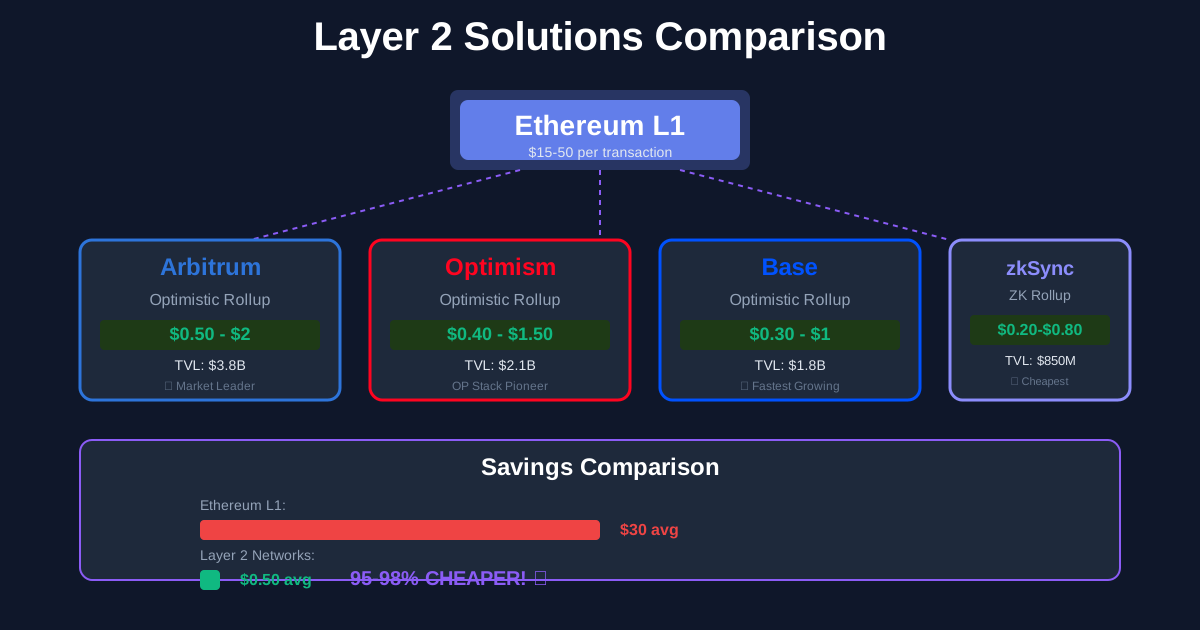
Layer 2 Solutions Explained: Arbitrum, Optimism, Base Complete Guide 2025
Master Ethereum Layer 2 networks and save 95% on gas fees. Complete comparison of Arbitrum, Optimism, Base, zkSync, and Polygon with setup tutorials.
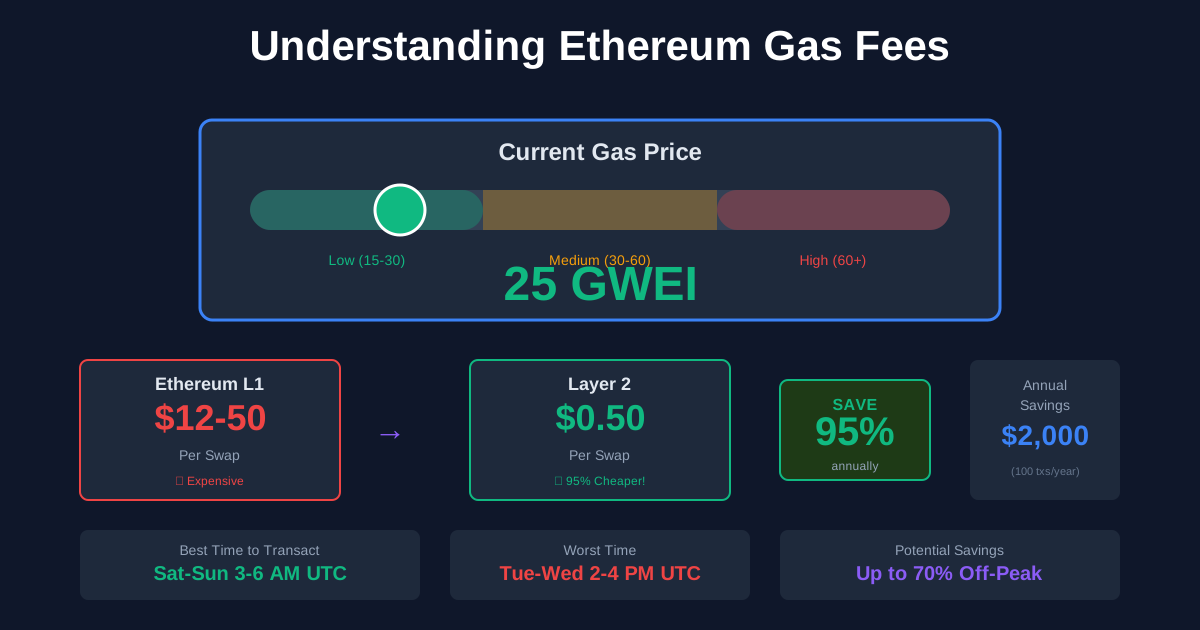
Understanding Gas Fees on Ethereum: Complete Guide to Save Money 2025
Master Ethereum gas fees with this complete guide. Learn what gas is, how to calculate costs, optimize transactions, and save 90%+ by using Layer 2 networks.
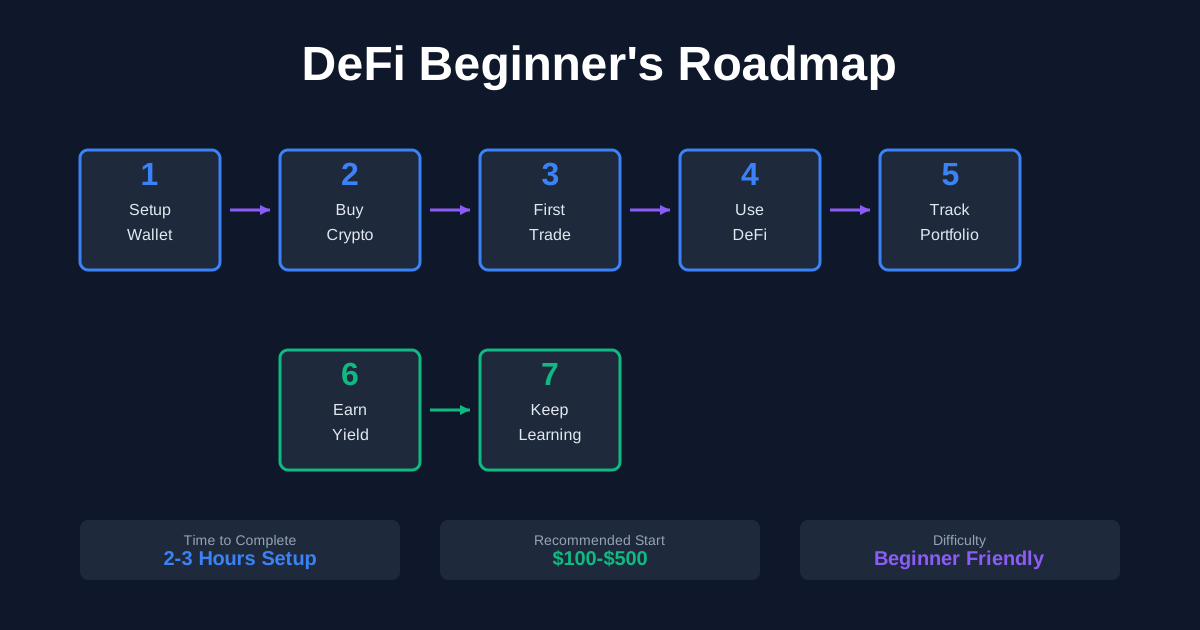
Getting Started with DeFi: Complete Beginner's Roadmap 2025
Your complete step-by-step guide to starting in DeFi. Learn the fundamentals, set up your wallet, make your first trades, and avoid costly mistakes as a DeFi beginner.