Multi-chain Token Price Tracking Guide: Track Prices Across All Networks
Complete guide to tracking token prices across multiple blockchains. Learn the best tools, strategies, and methods to monitor crypto prices on Ethereum, BSC, Arbitrum, and more.
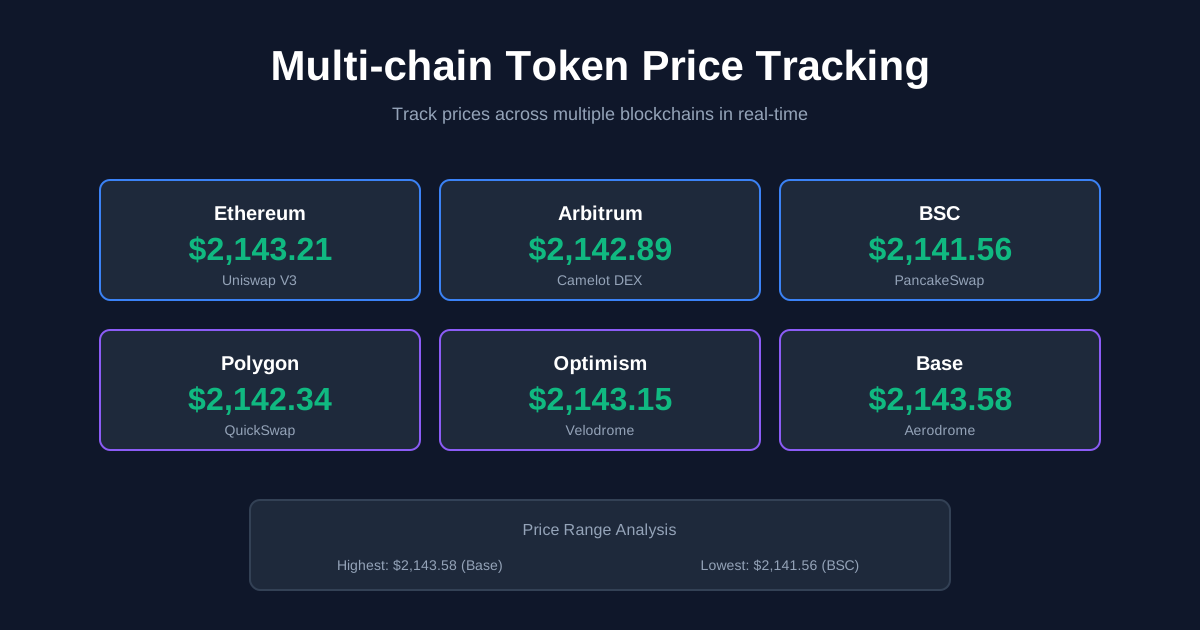
Multi-chain Token Price Tracking Guide: Track Prices Across All Networks
In today's fragmented crypto landscape, tokens exist across 10+ different blockchains. The same token can have different prices on Ethereum, BSC, Arbitrum, and Polygon. Tracking prices manually is nearly impossible.
This comprehensive guide will teach you everything you need to know about multi-chain token price tracking:
- Why prices differ across chains
- Best tools for tracking (free and paid)
- How to set up automated alerts
- Advanced strategies for arbitrage opportunities
- Common mistakes to avoid
By the end, you'll have a complete system for monitoring token prices across every major blockchain.
Why Multi-chain Price Tracking Matters
The Multi-chain Reality
The Problem: Crypto has evolved from a single-chain ecosystem (just Ethereum) to a multi-chain universe:
- Layer 1s: Ethereum, BSC, Solana, Avalanche, Fantom, Polygon PoS
- Layer 2s: Arbitrum, Optimism, Base, zkSync Era, Polygon zkEVM
- Specialized chains: Cosmos, Polkadot parachains, Sui, Aptos
Each chain has:
- Different DEXs and liquidity pools
- Different token prices (sometimes significantly)
- Different gas costs for trading
- Different levels of liquidity and slippage
Real Price Differences
Example 1: USDC on Different Chains (December 2025)
Ethereum:     $1.0001
BSC:          $0.9998
Arbitrum:     $1.0003
Polygon:      $0.9995
Optimism:     $1.0002
Even stablecoins can vary by 0.05-0.1% across chains!
Example 2: DeFi Token Price Differences
Token: AAVE
Ethereum:     $145.23
Polygon:      $144.87 (-0.25%)
Arbitrum:     $145.41 (+0.12%)
Optimism:     $145.15 (-0.06%)
Why This Matters:
- Arbitrage opportunities: Buy low on one chain, sell high on another
- Better execution: Find the best price before trading
- Risk management: Spot unusual price movements early
- Portfolio accuracy: Know the true value of your holdings
Understanding Cross-chain Price Dynamics
Why Prices Differ Across Chains
1. Liquidity Differences
Larger liquidity = more stable prices. Example:
Uniswap V3 (Ethereum):
ETH/USDC pool: $500M liquidity
Price impact for $100K trade: 0.02%

PancakeSwap (BSC):
ETH/USDC pool: $80M liquidity
Price impact for $100K trade: 0.08%
Result: BSC price can deviate more from "true" price.
2. Bridging Costs and Friction
Moving tokens between chains costs money:
Bridge $10,000 USDC from Ethereum to Arbitrum:
- Gas cost: $15-30
- Bridge fee: 0.1% = $10
- Time: 10-15 minutes
- Total cost: $25-40 (0.25-0.4%)
If price difference is less than bridging cost, arbitrage won't happen, allowing prices to diverge.
3. Chain-Specific Demand
Example: Gaming token more popular on Polygon (gaming-focused chain)
- Higher demand on Polygon → higher price
- Lower demand on Ethereum → lower price
- Difference can persist if bridging isn't profitable
4. Oracle Lag
Some chains use price oracles that update slower:
- Ethereum: Updates every block (12 seconds)
- Some L2s: Updates every 10-60 seconds
- Result: Brief price differences during volatile periods
5. Different Trading Pairs
Ethereum: TOKEN/ETH primary pair
BSC: TOKEN/BNB primary pair
Polygon: TOKEN/MATIC primary pair
Different base currencies = different price dynamics.
Best Multi-chain Price Tracking Tools
Free Tools (Recommended for Most Users)
1. CoinGecko - Best Overall Free Tool
What it tracks:
- 13,000+ cryptocurrencies
- 700+ exchanges (CEX + DEX)
- All major chains: Ethereum, BSC, Polygon, Arbitrum, Optimism, Avalanche, Fantom, Solana
Key Features:
- ✅ Multi-chain price comparison
- ✅ Historical price charts (1H to Max)
- ✅ Trading volume across all chains
- ✅ Market cap and supply data
- ✅ Price alerts (free, limited)
- ✅ API access (free tier: 50 calls/month)
How to Use:
- Search for your token (e.g., "USDC")
- Scroll to "Exchanges" section
- Filter by chain (Ethereum, BSC, etc.)
- Compare prices across DEXs on each chain
Price Alert Setup:
- Create free CoinGecko account
- Go to token page
- Click "Add to Portfolio"
- Set price alert: "Notify me when price reaches $X"
- Receive email/push notifications
Limitations:
- Free alerts: Max 10 active alerts
- API rate limits: 50 calls/month
- No real-time advanced analytics
Cost: Free (Premium: $4.99/month for unlimited alerts)
Best for: Casual traders, portfolio tracking, basic price alerts
2. CoinMarketCap - Strong Alternative
Similar to CoinGecko:
- Multi-chain coverage
- Free price alerts
- Historical data
- API access
Unique Features:
- Diamond rewards program (earn by using platform)
- More detailed exchange listings
- Better mobile app (some users prefer it)
Limitations:
- Similar to CoinGecko
- Free tier: 333 API credits/day
Cost: Free (Premium available)
Best for: Users who prefer CMC's interface
3. DexScreener - Best for DEX Traders
What it tracks:
- 50+ DEXs across 25+ chains
- Real-time DEX prices (updates every few seconds)
- Liquidity pool data
- 24h volume and price changes
Supported Chains:
- Ethereum, BSC, Polygon, Arbitrum, Optimism, Base
- Avalanche, Fantom, Cronos, Solana, Sui, Aptos
- And many more
Key Features:
- ✅ Real-time price updates (fastest free tool)
- ✅ Compare prices across all DEXs on one screen
- ✅ Liquidity and volume charts
- ✅ New pair detection
- ✅ Trending tokens by chain
- ✅ Social sentiment indicators
How to Use:
- Search for token contract address or name
- See all trading pairs across all chains
- Click chain filter to focus on specific network
- Compare liquidity, volume, and price
- Click "Trade" to go directly to DEX
Example View:
PEPE Token:
├─ Ethereum
│  ├─ Uniswap V3: $0.00000123 | $45M liquidity
│  └─ Uniswap V2: $0.00000122 | $12M liquidity
├─ Base
│  └─ Aerodrome: $0.00000125 | $8M liquidity
└─ Arbitrum
   └─ Camelot: $0.00000121 | $3M liquidity
Limitations:
- No CEX prices (only DEX)
- Limited historical data on free tier
- No automated alerts on free version
Cost: Free (Pro: $30/month for alerts and advanced features)
Best for: DEX traders, arbitrage hunters, finding new tokens
4. Web3 Calculator Token Price Tool - Our Free Tool
Use our Multi-chain Token Price Calculator to:
- Check prices across 6 major chains instantly
- Compare prices side-by-side
- Calculate arbitrage opportunities
- Zero signup required
Unique Features:
- One-click price comparison
- Built-in arbitrage calculator
- Gas cost estimator
- Clean, fast interface
Best for: Quick price checks, arbitrage calculations
Premium Tools (For Professional Traders)
5. DeFi Llama - Advanced Analytics (Free!)
Actually free but professional-grade:
- TVL (Total Value Locked) tracking across 200+ protocols
- Price charts with liquidity data
- Protocol comparisons
- Yield tracking across chains
Unique Features:
- ✅ TVL-weighted prices (more accurate)
- ✅ Cross-chain TVL comparison
- ✅ Historical yield data
- ✅ Stablecoin dashboards
- ✅ Bridge volume tracking
Best for: DeFi investors, protocol researchers
6. Nansen - Institutional-grade Analytics
What it offers:
- Smart money tracking (whale wallets)
- Token God Mode (deep token analysis)
- Multi-chain wallet analytics
- Real-time alerts for large transactions
Cost: $150-2,000/month (depending on plan)
Best for: Professional traders, funds, serious investors
7. Dune Analytics - Custom Dashboards
What it offers:
- SQL-based blockchain data queries
- Custom dashboards and charts
- Multi-chain data across 10+ networks
- Community-created dashboards (free to view)
Cost: Free to view, $99/month to create dashboards
Best for: Data analysts, researchers, custom tracking needs
8. Arkham Intelligence - Wallet & Entity Tracking
What it offers:
- Track specific wallets across chains
- Entity identification (exchanges, funds, etc.)
- Multi-chain transaction monitoring
- Price impact analysis
Cost: Free tier available, Pro from $40/month
Best for: Following smart money, investigating transactions
How to Set Up Your Tracking System
Step 1: Choose Your Primary Tool
Decision Matrix:
| Your Need | Recommended Tool | |-----------|-----------------| | Casual tracking, portfolio monitoring | CoinGecko or CoinMarketCap | | Active DEX trading | DexScreener | | DeFi protocol investing | DeFi Llama | | Professional trading | Nansen | | Quick price checks | Web3 Calculator | | Custom analytics | Dune Analytics |
Hybrid Approach (Recommended):
- Primary: CoinGecko for general tracking + alerts
- Secondary: DexScreener for DEX trading
- Quick checks: Web3 Calculator for instant comparisons
Step 2: Set Up Price Alerts
CoinGecko Alert Setup (Free):
-
Create account at coingecko.com
-
Add tokens to portfolio:
- Search token → "Add to Portfolio"
- Enter amount you hold
- Select chains you care about
-
Configure alerts:
- Click "Alert" button on token page
- Set conditions:
Alert Type: Price Target
When: Price reaches $X

OR

Alert Type: Price Change
When: Price moves ±5% in 1 hour
-
Choose notification method:
- Email (recommended: always works)
- Push notification (requires mobile app)
- Telegram bot (advanced)
Example Alert Configuration:
Token: ETH
Alert 1: Price reaches $2,000 (buy opportunity)
Alert 2: Price reaches $2,500 (take profit)
Alert 3: Price moves -5% in 1 hour (risk alert)
Alert 4: Price moves +10% in 24h (momentum alert)
Pro Tips:
- Use percentage alerts for volatile tokens
- Use absolute price alerts for stablecoins
- Set both upside and downside alerts
- Don't set too many alerts (alert fatigue)
Step 3: Create a Multi-chain Watchlist
Organized Watchlist Structure:
Portfolio Tracking:
├─ Major Holdings
│  ├─ ETH (Ethereum, Arbitrum, Optimism)
│  ├─ BTC (wrapped: Ethereum, BSC)
│  └─ USDC (all chains)
│
├─ DeFi Tokens
│  ├─ UNI (Ethereum, Polygon, Arbitrum)
│  ├─ AAVE (Ethereum, Polygon, Avalanche)
│  └─ CRV (Ethereum, Arbitrum, Optimism)
│
├─ Arbitrage Targets
│  ├─ Stablecoins (USDC, USDT, DAI)
│  └─ High-volume tokens (WETH, WBTC)
│
└─ Speculation/Trading
   ├─ New listings
   └─ Trending tokens
How to Build This:
In CoinGecko:
- Create custom lists (Star icon)
- Add tokens to appropriate lists
- View each list separately
- Track performance by category
In Spreadsheet (Advanced):
- Create Google Sheet with columns:
Token | Ethereum Price | BSC Price | Arbitrum Price | Price Diff | Bridge Cost | Arbitrage Profit | Last Updated - Use IMPORTXML or API to fetch prices
- Calculate differences automatically
- Color-code profitable opportunities
Step 4: Set Up Real-time Monitoring (Advanced)
For Active Traders:
Method 1: Multiple Browser Tabs
- Tab 1: DexScreener (main trading view)
- Tab 2: CoinGecko (general market overview)
- Tab 3: DeFi Llama (protocol TVL tracking)
- Tab 4: Your trading DEX (Uniswap, PancakeSwap)
Method 2: Custom Dashboard Use tools like:
- Cryptopanic.com - News + price aggregator
- TradingView - Advanced charting (free)
- Dextools - DEX-focused charts and analytics
Method 3: Telegram Bots Set up bots for instant notifications:
- CoinGecko Bot - @CoinGecko_bot
- DexTools Bot - @dextoolsbot
- Custom alerts via IFTTT or Zapier
Step 5: Automate Your Tracking (Advanced)
Option 1: Use APIs
CoinGecko API Example (Free tier):
// Fetch ETH price on multiple chains
const fetchMultiChainPrice = async (tokenId) => {
  const response = await fetch(
    `https://api.coingecko.com/api/v3/coins/${tokenId}/tickers`
  );
  const data = await response.json();

  // Filter by chain
  const ethereum = data.tickers.filter(t =>
    t.market.identifier === 'uniswap_v3'
  );
  const bsc = data.tickers.filter(t =>
    t.market.identifier === 'pancakeswap'
  );

  return {
    ethereum: ethereum[0]?.last || 'N/A',
    bsc: bsc[0]?.last || 'N/A'
  };
};

// Use it
fetchMultiChainPrice('ethereum').then(prices => {
  console.log('ETH Prices:', prices);
  // ETH Prices: { ethereum: 2143.21, bsc: 2142.89 }
});
Option 2: Google Sheets Automation
Use Google Sheets formula with IMPORTXML:
// Cell A1: Token name
// Cell B1: Ethereum price
=IMPORTXML("https://api.coingecko.com/api/v3/simple/price?ids=ethereum&vs_currencies=usd", "//")

// Set refresh rate: File → Settings → Calculation → On change and every hour
Option 3: Python Script (Most Powerful)
import requests
import time
from datetime import datetime

def track_multichain_prices(token_id, chains):
    """Track token price across multiple chains"""
    url = f"https://api.coingecko.com/api/v3/coins/{token_id}/tickers"
    response = requests.get(url)
    data = response.json()

    prices = {}
    for ticker in data['tickers']:
        chain = ticker['market']['identifier']
        if chain in chains:
            prices[chain] = ticker['last']

    # Calculate arbitrage opportunities
    if len(prices) >= 2:
        max_price = max(prices.values())
        min_price = min(prices.values())
        profit_pct = ((max_price - min_price) / min_price) * 100

        if profit_pct > 0.5:  # More than 0.5% difference
            print(f"[{datetime.now()}] ARBITRAGE OPPORTUNITY!")
            print(f"Token: {token_id}")
            print(f"Buy at: {min_price} | Sell at: {max_price}")
            print(f"Potential profit: {profit_pct:.2f}%")
            # Send notification here (email, Telegram, etc.)

    return prices

# Run continuously
chains = ['uniswap_v3', 'pancakeswap', 'quickswap']
while True:
    prices = track_multichain_prices('ethereum', chains)
    time.sleep(60)  # Check every minute
Advanced Strategies for Multi-chain Tracking
Strategy 1: Arbitrage Opportunity Detection
What is Cross-chain Arbitrage?
Buy a token on one chain where it's cheaper, bridge it, and sell on another chain where it's more expensive.
Profitable Arbitrage Requirements:
Profit = (Price_High - Price_Low) - Bridge_Cost - Gas_Costs

Example:
USDC Arbitrage (Ethereum → BSC)
- Ethereum price: $0.9995
- BSC price: $1.0012
- Price difference: $0.0017 (0.17%)

Costs:
- Bridge fee: 0.1% = $0.0010
- Ethereum gas: $15 / $10,000 = 0.15%
- BSC gas: $0.30 / $10,000 = 0.003%
- Total cost: 0.253%

Profit: 0.17% - 0.253% = -0.083% ❌
NOT PROFITABLE
When is it Profitable?
For arbitrage to work, you need:
- Price difference > 0.5% (for most tokens)
- Large trade size ($50K+) to make absolute profit worthwhile
- Fast bridge (< 15 minutes)
- Low volatility (price won't change during bridge)
Tools for Arbitrage Detection:
-
Our Web3 Calculator: Token Price Tool
- Instant price comparison
- Built-in arbitrage calculator
- Shows bridge costs
-
DexScreener: Real-time DEX prices
-
Custom Script: Python script (shown above)
Strategy 2: Chain-Specific Trading
Find the Best Chain for Your Trade:
Different chains have different strengths:
| Chain | Best For | Why | |-------|---------|-----| | Ethereum | Large trades ($100K+) | Deepest liquidity, least slippage | | Arbitrum | Medium trades ($10K-100K) | Low gas, good liquidity | | Base | New tokens | Growing ecosystem, low gas | | BSC | High-frequency trading | Extremely low gas ($0.10-0.30) | | Polygon | Small trades ($100-10K) | Very low gas, decent liquidity | | Optimism | DeFi protocols | Low gas, Optimism rewards |
Example Decision:
Scenario: Buy $5,000 worth of AAVE

Option 1: Ethereum (Uniswap)
- Price: $145.20
- Gas: $20
- Slippage: 0.05%
- Total cost: $145.20 + 0.05% + $20 = $145.27

Option 2: Polygon (Quickswap)
- Price: $144.95
- Gas: $0.10
- Slippage: 0.15%
- Total cost: $144.95 + 0.15% + $0.10 = $145.17

Winner: Polygon saves $0.10 per token × 34.4 tokens = $3.44
Strategy 3: Multi-chain Portfolio Rebalancing
Optimize Where You Hold Assets:
Hold tokens on the chain where you'll use them most:
Portfolio: $100K total

Ethereum (35%): $35K
- ETH: $20K (native token, use for gas)
- WBTC: $10K (best liquidity on Ethereum)
- Protocol tokens: $5K (governance, use on Ethereum)

Arbitrum (30%): $30K
- USDC: $15K (trading stablecoin, low fees)
- ETH: $10K (gas + trading)
- DeFi positions: $5K (farming on Arbitrum)

Base (20%): $20K
- ETH: $10K (gas)
- New opportunities: $10K (emerging ecosystem)

BSC (10%): $10K
- BNB: $5K (gas)
- Memecoins/speculation: $5K (high volatility)

Polygon (5%): $5K
- MATIC: $2K (gas)
- Gaming tokens: $3K (gaming on Polygon)
Rebalancing Triggers:
-
Gas prices change:
- Ethereum gas drops below 30 gwei → move more to Ethereum
- L2 offers incentives → move to that L2
-
Liquidity migrates:
- Protocol launches on new chain → follow liquidity
- Old chain losing TVL → reduce exposure
-
Use case changes:
- Starting to use a new protocol → bridge assets to that chain
- Done with farming → consolidate back to Ethereum
Strategy 4: Price Divergence Alerts
Detect Unusual Price Movements:
Set up alerts for when price on one chain diverges significantly:
Alert Configuration:
If (Ethereum_Price - BSC_Price) / BSC_Price > 1%:
   → Send notification
   → Investigate cause
   → Potential arbitrage or risk
Causes of Large Divergence:
-
Oracle attack or exploit - DANGEROUS
- Price manipulated on one chain
- Don't trade until situation clear
-
Liquidity migration - OPPORTUNITY
- Big traders moving to new chain
- Early opportunity before others notice
-
Bridge issues - TEMPORARY
- Bridge down or congested
- Prices will normalize when bridge fixed
-
Chain-specific news - RESEARCH NEEDED
- Regulatory news affecting one chain
- Technical issues on one chain
- Research before trading
Common Mistakes to Avoid
Mistake 1: Not Accounting for Bridge Costs
The Problem: You see USDC at $0.9990 on Ethereum and $1.0010 on BSC. Looks profitable!
The Reality:
Arbitrage Calculation (Wrong):
Buy: $0.9990
Sell: $1.0010
Profit: 0.20% ✅

Arbitrage Calculation (Correct):
Buy: $0.9990
Bridge fee: 0.10%
Ethereum gas: $20 / $10,000 = 0.20%
BSC gas: 0.003%
Sell: $1.0010
Profit: 0.20% - 0.303% = -0.103% ❌
Solution: Always use our Token Price Calculator which includes bridge costs in arbitrage calculations.
Mistake 2: Ignoring Bridge Time Risk
The Problem: Price looks good now, but bridge takes 15-30 minutes. Price can change!
Example:
Start:
- Ethereum: $2,000
- BSC: $2,010 (0.5% higher)

After 20-minute bridge:
- Ethereum: $2,008
- BSC: $2,009 (only 0.05% higher)

Result: Profit disappeared during bridge time
Solution:
- Only arbitrage with stablecoins or very stable assets
- Use fast bridges (< 10 minutes)
- Arbitrage larger differences (> 1%)
- Consider hedging (advanced)
Mistake 3: Trusting Single Source Pricing
The Problem: Different sources show different prices!
CoinGecko: $145.20
CoinMarketCap: $145.35
DexScreener: $145.18
Why?
- Different data refresh rates
- Different DEX/CEX inclusion
- Different weighting methodologies
Solution:
- Check multiple sources
- Use volume-weighted average
- For trading, check the actual DEX you'll use
Mistake 4: Not Tracking Gas Costs
The Problem: Gas cost $50, but you only made $30 profit. Net loss: -$20!
Gas Cost by Chain (Current Averages):
Ethereum: $5-50 per trade
Arbitrum: $0.50-2
Optimism: $0.40-1.50
Base: $0.30-1
BSC: $0.10-0.40
Polygon: $0.01-0.10
Solution:
- Track all costs in a spreadsheet
- Use gas trackers (etherscan gas tracker, arbitrum gas tracker)
- Trade on L2s for smaller amounts
- Save Ethereum for large trades only
Mistake 5: Missing Wrapped Token Differences
The Problem: ETH on BSC is actually WETH (wrapped ETH), not native ETH!
Different Versions:
Ethereum:
- ETH (native)
- WETH (wrapped, ERC-20)

BSC:
- BNB (native)
- ETH (bridged from Ethereum, actually wrapped)
- WETH (wrapped version of bridged ETH)

Polygon:
- MATIC (native)
- WETH (bridged from Ethereum)
Issues:
- Different liquidity for each version
- Different prices sometimes
- Need to unwrap/wrap (costs gas)
Solution:
- Always check which version you're buying
- Check contract addresses match
- Use established bridges only
Building Your Perfect Tracking System
Beginner Setup (10 minutes)
Tools:
- CoinGecko (free account)
- Our Token Price Calculator
Steps:
- Create CoinGecko account
- Add your top 10 tokens to portfolio
- Set price alerts for major holdings
- Bookmark our Token Price Calculator
- Check prices daily
Cost: $0/month
Intermediate Setup (1 hour)
Tools:
- CoinGecko Premium ($4.99/month)
- DexScreener (free)
- TradingView (free)
Steps:
- Upgrade to CoinGecko Premium
- Set up 20+ price alerts
- Create custom watchlists by category
- Add DexScreener for real-time DEX tracking
- Set up TradingView charts for main holdings
- Create simple spreadsheet for arbitrage tracking
Cost: $4.99/month
Advanced Setup (Day 1: Setup, ongoing automation)
Tools:
- CoinGecko Premium ($4.99/month)
- DexScreener Pro ($30/month) - optional
- Custom Python script (free)
- Google Sheets with API (free)
- Telegram bot alerts (free)
Steps:
- Set up API keys (CoinGecko, Etherscan)
- Create Python tracking script
- Set up Google Sheets with live price feeds
- Configure Telegram bot for alerts
- Build custom dashboard (Grafana or similar)
- Automate daily reports
Cost: $4.99-35/month + developer time
Professional Setup (For traders managing $100K+)
Tools:
- Nansen ($150-500/month)
- Dune Analytics Pro ($99/month)
- Multiple API subscriptions
- Custom infrastructure
Steps:
- Subscribe to professional data sources
- Build custom tracking systems
- Set up automated trading bots
- Implement risk management systems
- Connect to multiple DEXs via APIs
Cost: $250-1,000/month
Recommended Workflow for Daily Tracking
Morning Routine (5-10 minutes)
Step 1: Market Overview
- Open CoinGecko → Check portfolio value
- Check overall market sentiment (BTC, ETH prices)
- Review any price alerts from overnight
Step 2: Check Your Holdings
- Review each major position
- Note any significant price changes (±5%)
- Check if any rebalancing needed
Step 3: Arbitrage Scan
- Quick check on our Token Price Calculator
- Look for opportunities > 1% difference
- Note any potential trades
Midday Check (2-3 minutes)
- Quick glance at portfolio
- Check for new alerts
- Monitor any active trades
Evening Review (10-15 minutes)
Step 1: Performance Analysis
- Review day's P&L
- Note which chains performed best
- Update tracking spreadsheet
Step 2: Plan Tomorrow
- Set new price alerts if needed
- Plan any rebalancing
- Research any unusual price movements
Step 3: Learn
- Read crypto news
- Check new token launches
- Update strategy as needed
Tool Comparison Summary
Quick Reference Table
| Tool | Best For | Cost | Real-time | Alerts | Multi-chain | |------|----------|------|-----------|--------|-------------| | CoinGecko | General tracking | Free-$5 | ⚠️ 1-5 min | ✅ 10 free | ✅ All chains | | CoinMarketCap | Alternative to CG | Free | ⚠️ 1-5 min | ✅ Yes | ✅ All chains | | DexScreener | DEX trading | Free-$30 | ✅ Seconds | ⚠️ Pro only | ✅ 25+ chains | | DeFi Llama | DeFi protocols | Free | ⚠️ 5-10 min | ❌ No | ✅ All chains | | Web3 Calculator | Quick checks | Free | ⚠️ 2-5 min | ❌ No | ✅ 6 chains | | Nansen | Professional | $150+ | ✅ Real-time | ✅ Advanced | ✅ All chains | | Dune Analytics | Custom data | Free-$99 | ⚠️ Varies | ❌ No | ✅ 10+ chains |
Recommended Combinations
Budget: Free → CoinGecko + DexScreener + Web3 Calculator
Budget: $5/month → CoinGecko Premium + DexScreener + TradingView
Budget: $35/month → CoinGecko Premium + DexScreener Pro
Budget: $250+/month → Nansen + Dune Pro + DexScreener Pro
Frequently Asked Questions
Is cross-chain arbitrage still profitable in 2025?
Short answer: Yes, but harder than before.
Details:
- Small opportunities (0.5-1%) still exist frequently
- Need large capital ($50K+) to make it worthwhile
- Competition from bots is intense
- Most profitable during volatile periods
- Stablecoin arbitrage most consistent
Realistic expectations:
- Casual traders: 0-2% monthly from arbitrage
- Active traders: 2-5% monthly
- Bots/professionals: 5-15% monthly
Which chain has the most accurate prices?
Generally: Ethereum
Why:
- Highest liquidity
- Most mature DEX ecosystem
- Most arbitrage activity
- Best oracle infrastructure
But: "Accurate" price depends on context:
- For trading: Check the chain you're trading on
- For portfolio: Use volume-weighted average across chains
- For arbitrage: All prices are real prices on their respective chains
How often should I check prices?
Depends on your strategy:
Long-term holders:
- Check weekly
- Set alerts for major moves (±10%)
- Don't obsess over small fluctuations
Active traders:
- Check 2-3 times daily
- Set alerts for smaller moves (±3%)
- Review before each trade
Day traders:
- Check constantly (real-time tracking)
- Set up live dashboards
- Use professional tools
Arbitrage traders:
- Automated monitoring (every minute)
- Instant alerts for opportunities
- Custom scripts recommended
Do I need to track all chains?
No! Focus on chains you actually use.
Recommended minimum:
- Everyone: Ethereum (where most liquidity is)
- DeFi users: Add Arbitrum or Optimism
- Traders: Add Base or BSC
- Specific use: Add chain for your specific protocols
Don't track chains you never use - it's just noise.
Are free tools good enough?
For 95% of users: YES
Free tools (CoinGecko, DexScreener, Web3 Calculator) are excellent for:
- Portfolio tracking
- Basic price monitoring
- Casual arbitrage hunting
- Learning
Upgrade to paid tools if:
- Managing $100K+ portfolio
- Trading daily and need edge
- Professional trader/fund
- Need advanced analytics
Action Steps: Start Tracking Today
Immediate Actions (Next 15 Minutes)
Step 1: Set Up Basic Tracking
- Create free CoinGecko account: coingecko.com
- Add your top 5 tokens to portfolio
- Set 3 price alerts for main holdings
Step 2: Check Current Prices
- Visit our Token Price Calculator
- Check your main tokens across chains
- Note any large price differences
Step 3: Bookmark Essential Tools
- CoinGecko
- DexScreener
- Our Token Price Calculator
- Your primary DEX (Uniswap, PancakeSwap, etc.)
This Week (Next 7 Days)
Day 1-2: Build Your Watchlist
- Add all holdings to CoinGecko
- Organize into categories
- Set up comprehensive alerts
Day 3-4: Learn Your Tools
- Explore DexScreener features
- Try different chart timeframes
- Practice comparing prices
Day 5-6: Test Arbitrage Scanning
- Look for price differences > 1%
- Calculate costs (don't trade yet)
- Learn which opportunities are real
Day 7: Review and Optimize
- What worked well?
- Which tools do you prefer?
- Adjust alert settings
- Plan next week's tracking routine
This Month (Building Expertise)
Week 2: Advanced Features
- Try TradingView charting
- Explore DeFi Llama analytics
- Set up basic spreadsheet tracking
Week 3: Automation
- Set up Google Sheets with price feeds
- Create simple tracking formulas
- Consider API integration
Week 4: Strategy Development
- Analyze your tracking data
- Identify patterns
- Develop your own strategies
- Start implementing learnings
Conclusion: Master Multi-chain Price Tracking
Multi-chain price tracking is essential in today's fragmented crypto landscape. You can't trade effectively or manage your portfolio without it.
Key Takeaways:
- Prices differ across chains - by 0.1-2% typically, sometimes more
- Free tools are excellent - CoinGecko + DexScreener + our calculator cover 95% of needs
- Set up alerts - don't manually check prices constantly
- Account for all costs - bridge fees and gas eat into profits
- Start simple - begin with basic tracking, add complexity as needed
Your Next Steps:
- ✅ Create CoinGecko account (5 minutes)
- ✅ Check prices with our Token Price Calculator (2 minutes)
- ✅ Set up your first 5 price alerts (10 minutes)
- ✅ Start daily tracking routine (5 minutes/day)
Related Resources:
- How to Check Token Prices Across Multiple Chains
- Best Tools for DeFi Traders in 2025
- Complete Guide to ENS Domains
Start tracking smarter today. Your future self will thank you for the better trading decisions and opportunities you spot early.
What will you track first? Check your tokens now with our Multi-chain Token Price Calculator.
Share this article:
Related Articles
GameFi ROI Calculator: Calculate Play-to-Earn Returns & Break-Even Time
Complete guide to GameFi and Play-to-Earn ROI calculation. Learn how to analyze Axie Infinity, STEPN, Illuvium earnings, NFT breeding costs, scholarship programs, and break-even scenarios with our free P2E calculator.
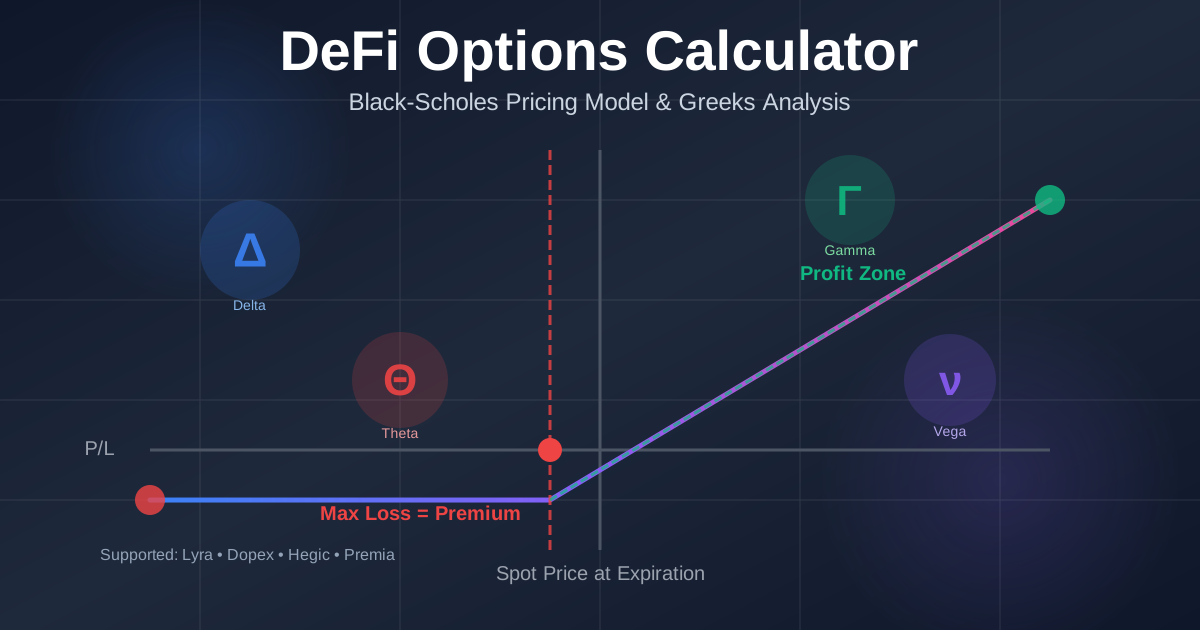
DeFi Options Calculator Guide: Black-Scholes Pricing & Greeks Explained
Complete guide to DeFi options trading with Black-Scholes pricing model, Greeks calculator (Delta, Gamma, Theta, Vega), and strategy analysis for Lyra, Dopex, Hegic, and Premia protocols
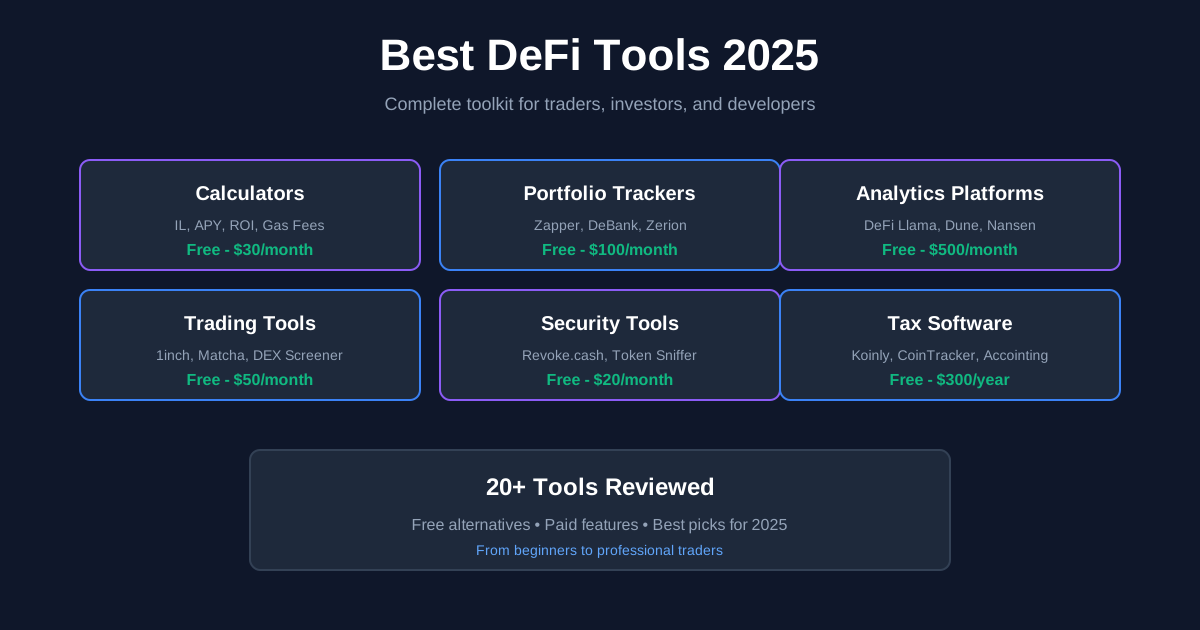
Best Tools for DeFi Traders in 2025: Complete Toolkit Guide
Discover the essential DeFi trading tools every trader needs in 2025. From calculators to analytics platforms, portfolio trackers to security tools - your complete guide to trading DeFi like a pro.